1
Log into Amazon
Sign in to Amazon normally in Chrome. Invoice Harvester handles the order pages during the run.
Free to use · Chrome extension · For Amazon sellers
Save hours every month by choosing a date and region once. Invoice Harvester collects the Amazon invoice PDFs you need for HMRC records, VAT receipts, authenticity complaints, ungating, and bookkeeping.
An FBA Mogul product, built for the admin work Amazon sellers actually have to do.
Free to use. No subscription. No payment details.
The admin problem
Amazon invoices can sit behind order history pages, year filters, order detail pages, invoice menus, and marketplace-specific accounts. That is tolerable for one receipt. It is painful when you need a complete folder every month.
That folder matters when you need HMRC records, VAT receipts, proof for authenticity complaints, or documents for ungating. Invoice Harvester keeps the job narrow: find purchasing invoices from the Amazon account you already use and save the PDFs locally, ready for the admin moments that usually steal your time.
How it works
Sign in to Amazon normally in Chrome. Invoice Harvester handles the order pages during the run.
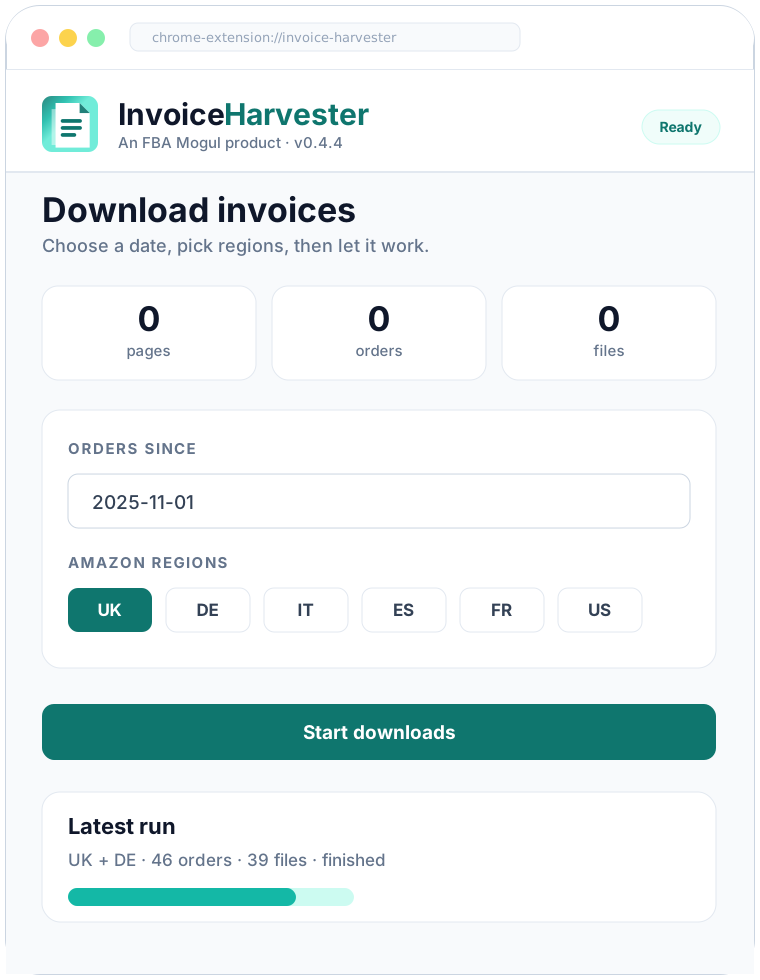
Pick how far back to scan and select UK, DE, IT, ES, FR, US, or all regions.
Invoice Harvester scans order pages and saves detected invoice PDFs locally.
Date-based runs
Invoice Harvester switches Amazon's order-history year filters, paginates within each year, and stops when it reaches your chosen date limit.
Example local file paths
Local file organisation
Downloaded invoices are saved under a local Invoice Harvester folder, with marketplace-aware naming and folder options for single or multi-invoice orders, so you are not scrambling when HMRC, your accountant, Amazon, or an ungating request needs proof.
Complete the Amazon verification in the Amazon tab, then resume downloads.
Responsible automation
Invoice Harvester uses your existing logged-in Amazon session. If Amazon asks for login, CAPTCHA, or account verification, the extension stops and asks you to handle Amazon directly.
Included
FAQ
No. Invoice Harvester is free to use as a Chrome extension from FBA Mogul. There is no subscription and no payment details are needed for the extension.
No. Log into Amazon normally in Chrome, choose your settings in Invoice Harvester, and the extension handles the order pages during the run.
No. You log in to Amazon normally in Chrome. Invoice Harvester works from the Amazon session already available in that browser profile.
Detected invoice PDFs are saved locally under your Downloads/Invoice Harvester folder, organised by marketplace and your selected file settings.
They are useful for HMRC records, VAT receipts, bookkeeping, authenticity complaints, ungating evidence, and any other situation where you need the Amazon purchase invoice ready quickly.
The extension stops and asks you to handle Amazon directly in the Amazon tab. After Amazon is ready, you can resume the invoice run.
We have designed Invoice Harvester to be conservative: it uses your normal logged-in Chrome session, does not collect Amazon credentials, and stops when Amazon asks for login, CAPTCHA, or verification. We cannot guarantee how Amazon will treat any browser automation, so no tool can guarantee account outcomes. Use it sensibly and follow Amazon's policies.
Free to use. Coming soon to the Chrome Web Store.